Kubernetes#
Overview#
Unryo gives real-time visibility inside your Kubernetes cluster(s). It builds a dynamic map of your Kubernetes objects, correlates problems across layers, surfaces probable root causes, and gives your teams AI-driven recommendations to resolve issues fast.
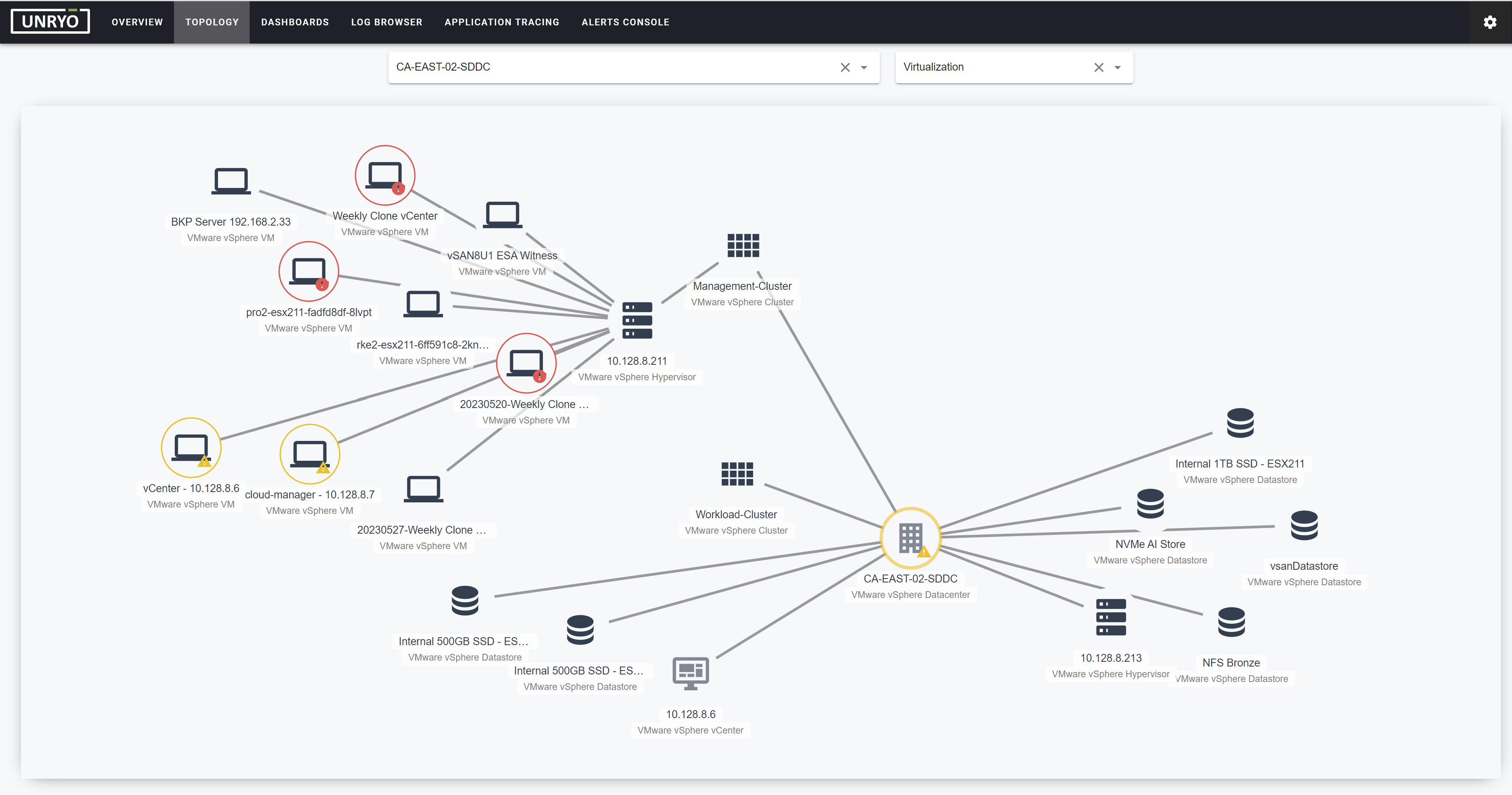
What you get:
- Dynamic map of Kubernetes objects (nodes, pods, containers, services, deployments, …)
- Istio service-to-service traffic
- Correlation and root-cause analysis across Kubernetes and the layers above and below it
- Kubernetes dashboards and metric anomaly detection
- Kubernetes log and event consolidation
- Ingestion and mapping of Prometheus alerts
- Multi-cluster support
Unryo doesn't replace your Prometheus or other data source(s). It runs on top of them for correlation and analysis. Telemetry data stays in your data source(s) and is not duplicated in Unryo (except if you want to). You can choose to store important metrics in Unryo for long-term historical dashboards.
Recommended approach: connect Prometheus#
For almost every cluster, the best way to monitor Kubernetes with Unryo is to connect a Prometheus (or Prometheus-compatible) data source. This is our strongly preferred approach, for concrete reasons:
- It's the Kubernetes-native pattern. Prometheus +
kube-state-metrics+node-exporteris how the ecosystem already collects cluster and per-node metrics. Most clusters run it (or can, via the kube-prometheus-stack). - Per-node collection is already handled for you.
node-exporterruns as a DaemonSet that Prometheus manages, so Unryo gets full per-node coverage with a single connector — no per-node Unryo collector to deploy. - It's a light footprint. Unryo queries your existing Prometheus and adds no agents to your nodes. Telemetry stays in your data source and is not duplicated in Unryo (except if you want to).
- You keep your data and tooling. Unryo layers correlation, topology, and AIOps on top of the stack you already operate.
Follow Approach 1 below.
Only use the Kubernetes API approach if you have no Prometheus and can't introduce one — or as a complement for inventory data. It collects directly from the cluster but has trade-offs (see below).
Both approaches support multiple clusters.
Approach 1: via Prometheus (recommended)#
If your cluster already exposes metrics through Prometheus, the lightest path is to let Unryo query it.
1. Make sure your cluster exposes Kubernetes metrics. The common setup is Prometheus + Prometheus AlertManager + kube-state-metrics, for example by installing the kube-prometheus-stack Helm chart. Any Prometheus-compatible endpoint that stores Kubernetes metrics works too (VictoriaMetrics, Thanos, Cortex, …).
2. Connect Prometheus to Unryo as a data source. Follow Connecting your Prometheus. Once connected, Unryo's built-in Kubernetes Topology configuration inspects the metric metadata to discover all Kubernetes resources (pods, nodes, services, …), build the topology, and feed the correlation engine — see Built-in Configurations.
3. (Optional) Bring in your Prometheus alerts.
You will then see your alerts in the Unryo Alerts Console, making Kubernetes alerts correlated alongside everything else.
4. (Optional) Discover Istio traffic. Enable the built-in Istio configuration to map service-to-service request volume, errors, and latency.
5. Export your Kubernetes events with Kubernetes Events Exporter.
Approach 2: via the Kubernetes API#
Use this only when Approach 1 isn't an option. The Kubernetes ML Pack collects directly from the cluster using two templates:
- Kubernetes Inventory — talks to the Kubernetes API to derive metrics from the state of cluster resources (deployments, daemonsets, nodes, pods, services, persistent volumes, …). One cluster-wide query; works from a single collector.
- Kubernetes — talks to each node's kubelet
/stats/summaryendpoint for running pod and container metrics. It is designed to run one instance per node (a DaemonSet), each talking to its local kubelet.
Trade-offs to be aware of:
- Per-node coverage needs a DaemonSet. The default Unryo Collector deployment runs a single collector, which is enough for the cluster-wide Inventory template but not for the per-node Kubernetes (kubelet) template. Full per-node metrics this way require running the collector as a DaemonSet, which the standard chart does not ship — this is exactly the kind of work Prometheus'
node-exporteralready does for you under Approach 1. - Read access to the Kubernetes API is required (pods, nodes, services, endpointslices, deployments, daemonsets, statefulsets, persistentvolumes, persistentvolumeclaims, ingresses). When you deploy the Unryo Collector inside the cluster with the Unryo Helm chart, the necessary ServiceAccount, ClusterRole, and ClusterRoleBinding are created for you — controlled by
k8sMonitoringPermissions(enabled by default; see Kubernetes Deployment). For a collector outside the cluster, provide a kubeconfig/token for a ServiceAccount with that read access.
See the Kubernetes ML Pack page for step-by-step configuration.
Multi-cluster monitoring#
Unryo supports monitoring many clusters from one platform. Metrics from different clusters are distinguished by a cluster_id tag, so dashboards, topology, and correlation stay scoped per cluster. You don't need one collector per cluster — although network segmentation or security boundaries may make per-cluster collectors the practical choice.
See also#
- Kubernetes Events — retrieve Kubernetes events from one or more clusters into a central, real-time view, with predefined dashboards and alerting.
- Kubernetes Energy (Kepler) — energy-consumption and carbon-emission metrics for pods and nodes.
- Prometheus — the data-source integration behind Approach 1, including Istio.
- 5G Core — when Kubernetes is the substrate for cloud-native network functions, Unryo correlates Kubernetes infrastructure issues with 5G service impact.
- AI Assistant — Kubernetes Tools — give the AI assistant read-only, on-demand access to a cluster for troubleshooting (get/list resources, pod logs, events).