F5BigIPNextKubernetes
F5 BIG-IP Next for Kubernetes#
Overview#
The ML Pack for F5 BIG-IP Next for Kubernetes (BNK) monitors BNK from the metrics it exposes in Prometheus:
- Discovers the BNK topology and links it to the Kubernetes workloads it serves.
- Analyzes the load-balancing and data-plane metrics of each object.
- Lets the AI agent investigate across the F5 and Kubernetes domains.
Unryo reads metrics from your existing Prometheus; it does not duplicate them.
Requirements#
- F5 BIG-IP Next for Kubernetes exposing metrics in Prometheus format.
- A Prometheus (or compatible endpoint) scraping them.
- Reachability from an Unryo Collector to that Prometheus.
Configuration#
Step 1. Connect Prometheus
Connect Unryo to the Prometheus holding the BNK metrics (see Prometheus). Tag the connector with the cluster identifier; the ML Pack uses it to scope and label resources.
Step 2. Enable metrics
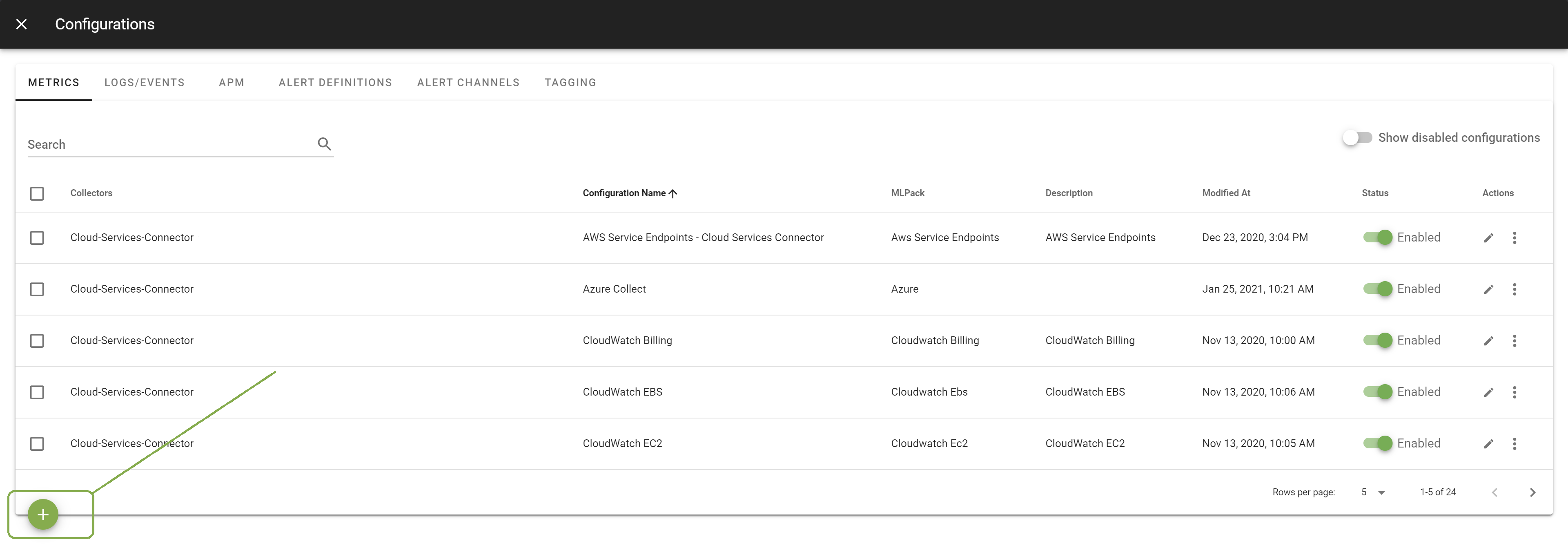
In Configuration Management > Metrics, add the F5 BIG-IP Next for Kubernetes configuration on that Collector, then click Apply.
Step 3. Enable topology
In Configuration Management > Topology, confirm F5 BIG-IP Next for Kubernetes is enabled (on by default). The topology map builds instantly.
Topology#
Full path from the client-facing listener down to the Kubernetes pods, plus the data-plane engines.
| Resource | Identity | Description |
|---|---|---|
| F5 Virtual Server | namespace, name | Client-facing listener (VIP) |
| F5 Pool | namespace, name | Backend pool behind a virtual server |
| F5 Pool Member | IP, pool | Backend endpoint (IP:port) |
| Kubernetes Pod | namespace, name | Pod behind a pool member |
| F5 TMM | tmm_pod | Traffic Management Microkernel (data-plane pod) |
Relationships:
- Virtual Server →
Routes→ Pool - Pool →
HasMember→ Pool Member - Pool Member →
RoutesTo→ Kubernetes Pod
The last edge joins the pool member's IP to kube_pod_info, bridging F5's IP identity to the Kubernetes pod name. This is what enables cross-domain F5-to-Kubernetes correlation.
Metrics & Dashboards#
Per object:
- Virtual Server: throughput (bytes, packets), connections (current/total/max), requests/responses.
- Pool: total connections, member count.
- Pool Member: connections, packets, requests, current sessions, connection-queue depth.
- F5 TMM: memory used vs limit, connections, throughput, dropped packets.
KPIs and dashboards are generated automatically.
AI-driven investigation#
Each object links to its pod and carries its metrics, so the AI agent investigates across both domains in one pass: tracing a virtual server's throughput drop to a specific pool member and its pod, or relating TMM memory pressure and dropped packets to the affected virtual servers.